Technology doesn’t have to be intimidating—especially when it’s built with simplicity in mind. Today’s best software options for seniors are clean, intuitive, and designed to enhance everyday life, whether that means video chatting with family, managing medications, or organizing photos. If you’re a senior looking for easy-to-use digital tools—or helping a loved one get started—these seven software solutions offer low learning curves and high value. Let’s explore what makes them so senior-friendly.
1. GrandPad: A Tablet Built Just for Seniors
The GrandPad is more than software—it’s a full tablet experience made with seniors in mind. It comes preloaded with simplified apps for email, video calling, photos, music, and even games. The layout features large buttons, voice prompts, and a clutter-free interface.
What sets GrandPad apart is its worry-free setup: it includes built-in 4G LTE (no Wi-Fi required), and family members can manage contacts and settings remotely through a companion app. For those who feel overwhelmed by smartphones or traditional tablets, GrandPad offers confidence and connection in one smart package.
2. Jitterbug Smart4: A Simplified Smartphone for Everyday Use
Lively’s Jitterbug Smart4 smartphone is another great example of software and hardware working together to simplify life. It uses a list-based menu instead of a standard app grid, making navigation easier for seniors unfamiliar with modern interfaces.
It includes urgent response features, large-text reading modes, and a helpful voice assistant. You can also access a personal operator 24/7. For those new to smartphones, the Jitterbug Smart4 removes the guesswork and makes communication easy and safe.
3. Medisafe: Medication Management Without the Confusion
Remembering pills can be tricky, but Medisafe simplifies it beautifully. This free app sends personalized medication reminders and offers visual schedules so users can track their daily routines at a glance.
It even alerts caregivers if a dose is missed, creating a layer of support for independent seniors. Medisafe also features a clean, color-coded interface that works well on both iPhone and Android devices. Best of all, it keeps things simple—no medical jargon, no complicated settings.
4. Zoom: Video Calling That’s Easy and Accessible
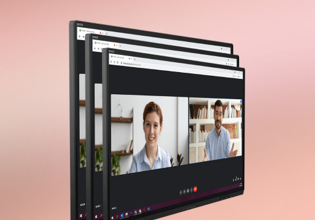
Zoom remains one of the most user-friendly video calling platforms, especially for staying connected with family or participating in community groups online. Seniors appreciate its “Join by link” feature, which eliminates the need for meeting IDs or passwords.
Once installed, Zoom’s basic functions—start, join, mute, video—are clearly labeled and consistent across devices. Zoom also works great with tablets and can be used with one tap if meetings are pre-scheduled by a family member. It’s a go-to for birthdays, book clubs, or virtual coffee chats.
5. Simple Email with Tutanota or ProtonMail
Not all seniors need—or want—the bells and whistles of traditional email providers. Tutanota and ProtonMail are two privacy-first email services with minimalist designs. Both offer clean interfaces, no ads, and easy-to-read inboxes.
For seniors who value simplicity and security, these platforms are ideal. Tutanota, in particular, allows users to adjust text size and offers encrypted messaging with very few settings to manage. If Gmail or Yahoo feel too overwhelming, these are smart alternatives.
See also: Eco-Friendly & Sustainable Lift Chair Options to Watch
6. Libby: Free Books and Audiobooks with a Library Card
If you love reading but don’t want to carry heavy books or deal with complicated downloads, Libby is a gem. This free app lets you borrow eBooks and audiobooks from your local library using nothing more than a library card.
You can increase font size, switch to dark mode, or listen to audiobooks at adjustable speeds. Libby’s interface is one of the most senior-friendly reading apps available—no subscriptions, no fees, just a world of stories available at your fingertips.
📸 FAQ: Photo Editing Tools Made Simple for Seniors
As more seniors embrace digital photos—whether from smartphones or family email chains—editing tools are becoming increasingly useful. Whether you want to brighten a grandkid’s smile or create a greeting card, photo editing doesn’t need to be complex. Here are some common questions seniors ask about editing photos online:
Q1: What’s the easiest software for editing a photo without downloading anything?
If you prefer to edit directly in your browser, Adobe Express offers a clean, no-install-needed solution. You can crop, resize, adjust brightness, or add filters all in just a few clicks. It’s beginner-friendly and perfect for basic photo touch-ups.
Q2: Are there tools that let me add text to family photos or greeting cards?
Yes—platforms like Fotor and FotoJet let you easily add text to your images. Whether you’re creating birthday cards or labeling old photos, both tools offer drag-and-drop features and simple font customization.
Q3: I only want to make a photo brighter or sharper. What’s the fastest way to do that?
The edit image tool from Adobe Express makes it incredibly easy. Upload your photo, adjust the brightness or sharpness with sliders, and save it back to your computer—no account needed for basic features.
Q4: Can I remove something small from a photo, like red-eye or background clutter?
Pixlr X is a great browser-based editor that offers basic retouch tools, including red-eye removal and background erasers. It’s free and doesn’t require registration, making it ideal for quick fixes without overwhelming options.
Q5: What’s a safe way to save and organize edited photos?
Consider using Google Photos, which automatically backs up your pictures and allows for simple albums and tags. You can edit right inside the app or website, and it syncs across devices, so your photos are always accessible and safe from accidental deletion.
Technology should empower, not frustrate—and these easy-to-use tools prove it. Whether you’re managing health, connecting with loved ones, or exploring hobbies like photography and reading, there are smart, simple apps designed with seniors in mind. With a little exploration, you’ll find that digital tools can fit seamlessly into your routine and even make life a bit more joyful.